
01
Two options, every time
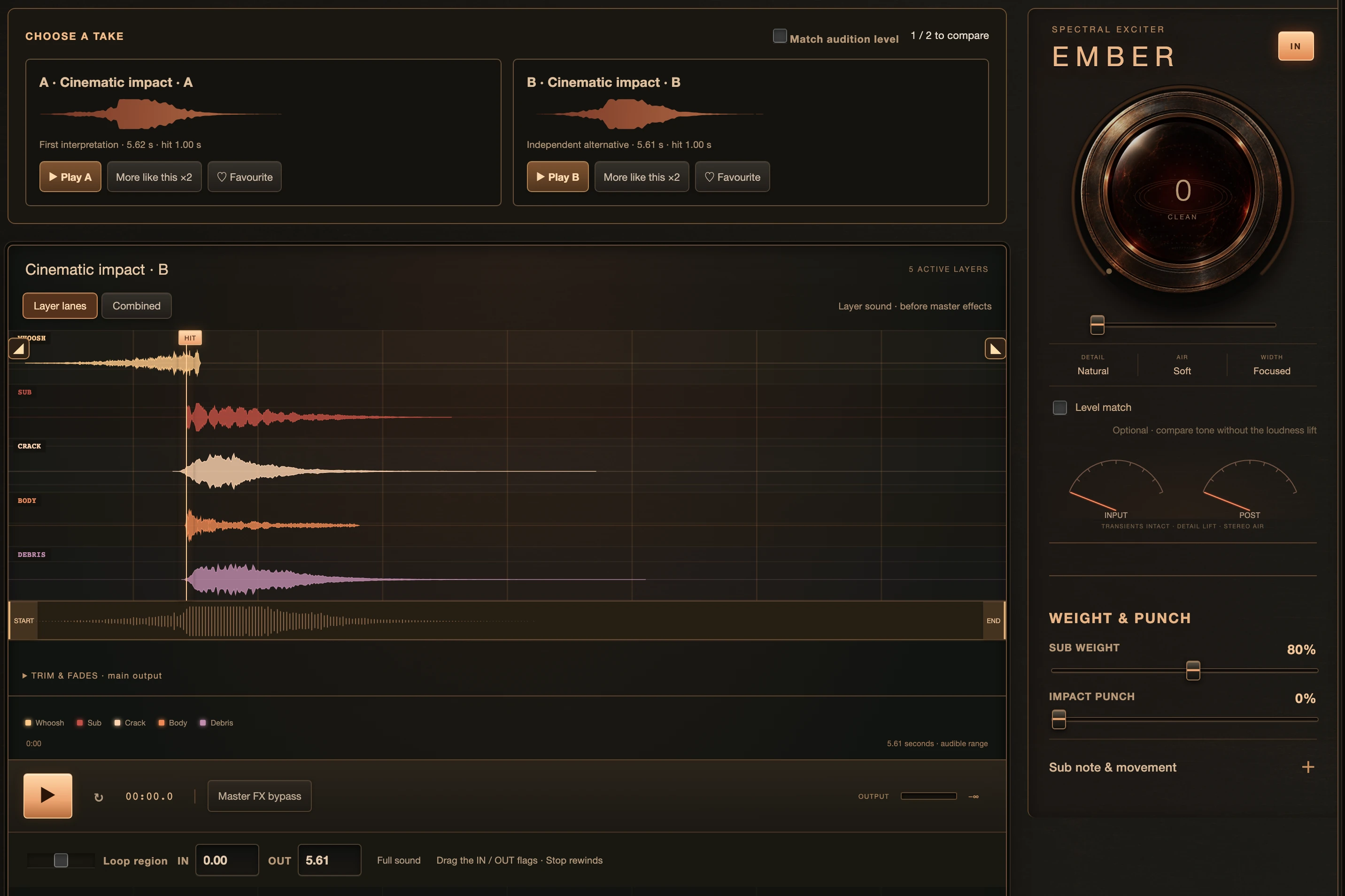
Audition A and B at aligned hit points. Favourite a take, ask for more like it, or choose a wilder direction.
 IMPACT STUDIOGet it · $29.99 ↗
CINEMATIC SOUND DESIGN · FOR MAC
The build. The impact. The aftermath.
A whole sound-design studio, right on your Mac.

WELCOME TO YOUR NEXT SIGNATURE SOUND
FROM AN IDEA TO AN IMPACT
Describe the feeling. Generate two interpretations. Pull apart the layers, shape the energy, and take the finished sound into your session.
MEET YOUR NEW INSTRUMENT
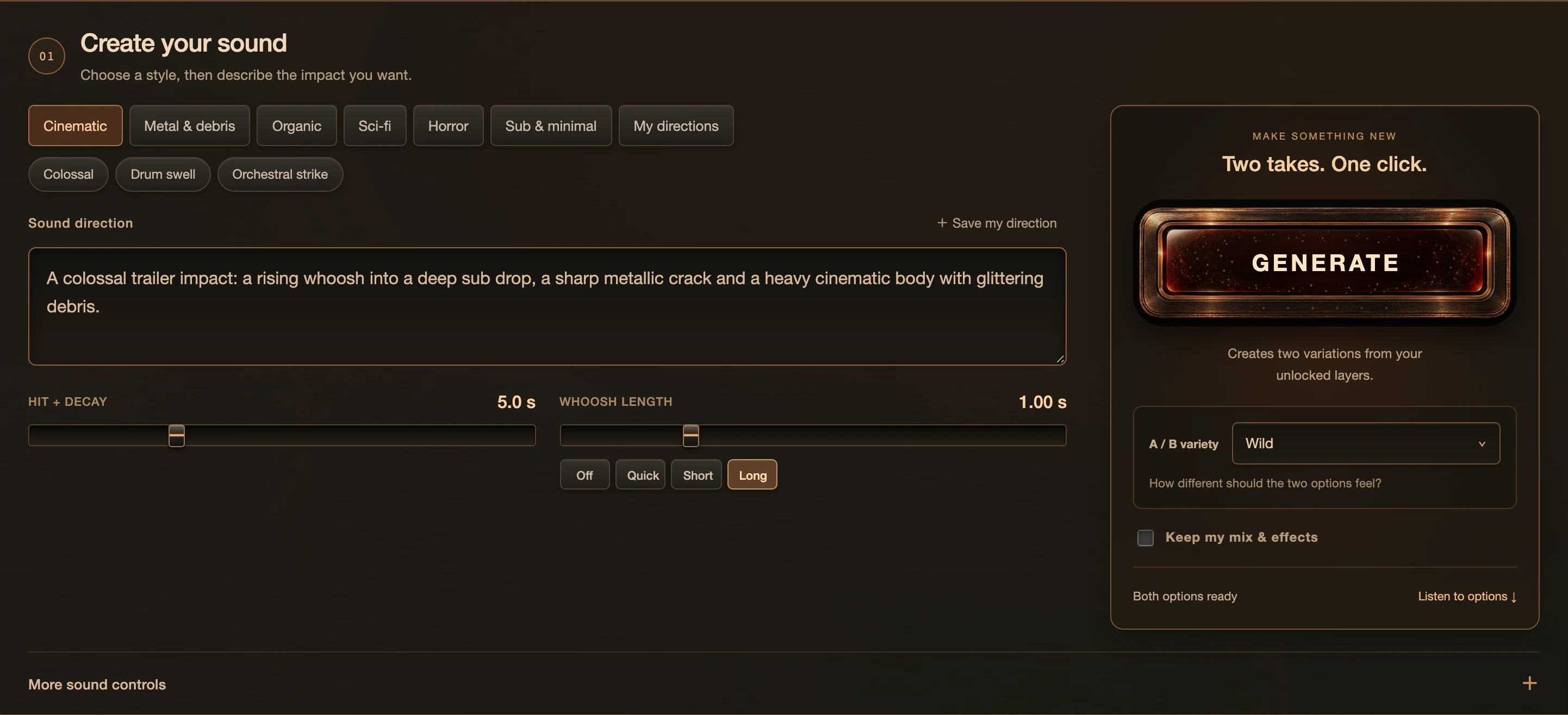
Pick a style, describe the moment in your own words and generate two complete interpretations with one click.
Compare A and B at the same hit point. Every layer has its own lane, level, timing and tone, with Ember for heat.
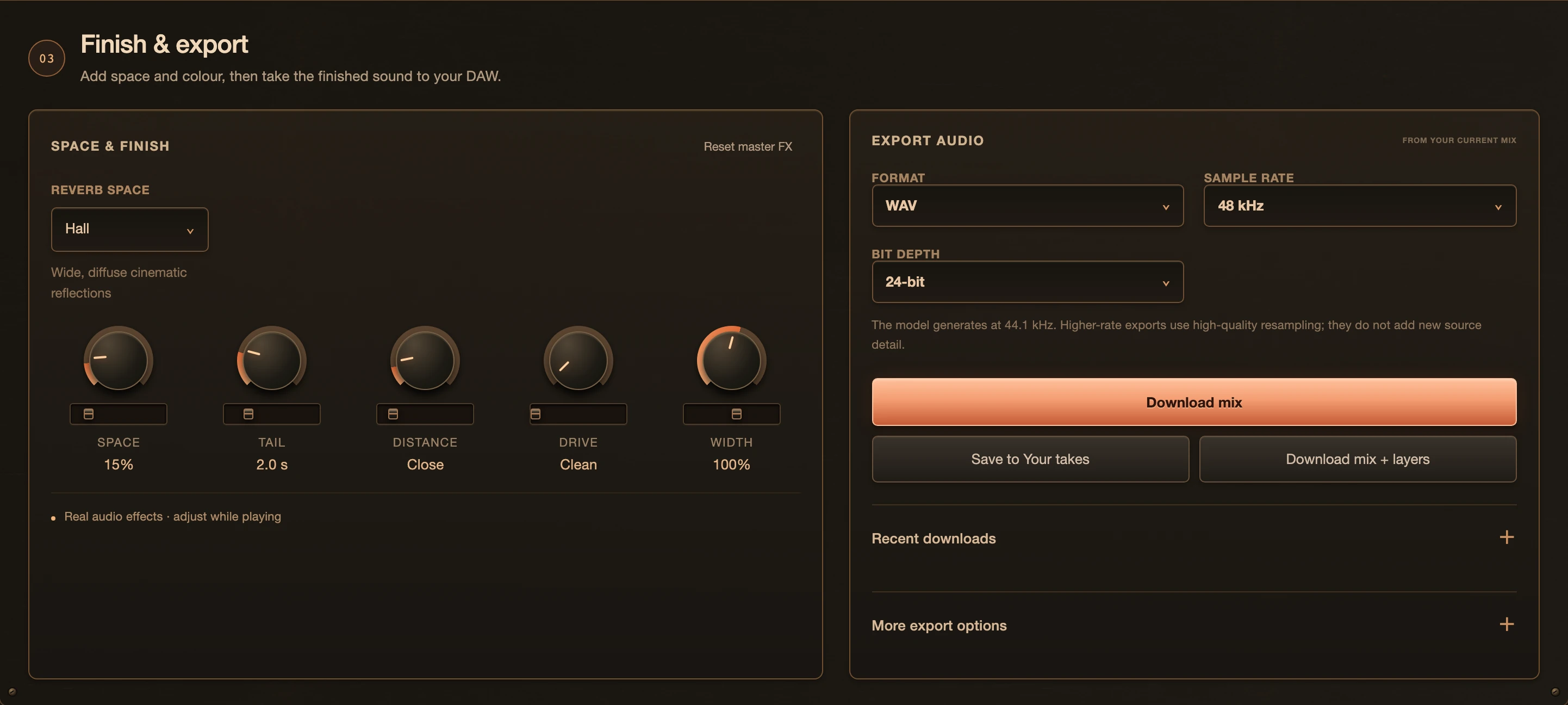
Add space, tail and width. Export WAV, AIFF, FLAC or MP3, as the full mix or all five aligned layers.
FIVE LAYERS. ONE VISION.
Independent sound sources, each with its own waveform, timing, pitch, fades, EQ and space. Keep the layers you love. Regenerate the rest.
CRACK CONTROLS
Give the moment a sharp, physical edge.
SCROLL TO TURN UP THE HEAT
MEET EMBER
Open up the detail. Give it air. Feel the weight.
One expressive control brings your impact to life.
NEUROENGINE · RECONSTRUCTION
Bring your own recording. Explore a new shape, texture and movement.
The whole transformation happens on your Mac.
Shape the attack, decay, pitch and texture. Save it. Or explore further.
STAY IN THE CREATIVE FLOW
Audition A and B at aligned hit points. Favourite a take, ask for more like it, or choose a wilder direction.
Bring in folders, search your sounds, organize takes and save the versions worth keeping.
Move the hit, adjust the whoosh, draw movement curves and smooth the edges with fades.
Audio generation and editing run locally. Your source recordings stay on your machine.
Drag a prepared WAV to your DAW or desktop. Export the full mix or the five aligned layers.
WAV, AIFF, FLAC or MP3. Choose your sample rate and bit depth for the next step in your workflow.
BUILT AROUND YOUR MAC
Impact Studio is a standalone Apple Silicon app. Install it, activate your license, and prepare the sound engine once.
Compatibility targets below. Tested during development on an M3 Max with 128 GB unified memory; generation time varies by Mac, sound length and settings.RECOMMENDED SETUP
Apple Silicon16 GB is the minimum target. Allow more memory and storage for larger training projects. Internet is needed for activation and the initial engine download.

YOUR NEXT SIGNATURE SOUND STARTS HERE
One purchase. Your studio.
A FEW THINGS WORTH KNOWING
Impact Studio is a standalone Mac app with an instrument-style interface. It does not load as an AU or VST plugin. Export or drag your finished audio into your DAW.
No. Generation, reconstruction, analysis and editing run locally on your Mac. Your recordings, prompts and generated audio are not sent to a cloud AI service. No online AI subscription is required.
Yes, once you have activated the app and downloaded the sound engine. Internet is used for purchase, activation, license checks and license recovery, plus the initial engine download. Those connections do not upload your audio or prompts.
Yes. The Impact Studio license permits commercial use of sounds generated with its included engine and content in your music, films, games and client projects, subject to the included engine terms and applicable law. You remain responsible for any material you import.
Use reconstructed results commercially only when you own the input recording and have the rights to any material it contains, or have explicit permission covering reconstruction and your intended commercial use. Reconstructing or changing a copyrighted recording does not remove the original rights or make it automatically royalty-free. Buying a copy of a recording is not the same as owning its copyright.
Yes. Import your own audio, organize source folders, use recordings as layer sources, or explore them in Reconstruction. You are responsible for having the necessary rights to any audio you bring in.
Each generation starts with a new interpretation. Compare two takes, change the direction, choose a variation range and lock the layers you want to keep. Results vary and may need editing.
The sound engine produces 44.1 kHz audio. Higher-rate exports use resampling for workflow compatibility; they do not create extra source detail.
Your purchase email includes a license code. Enter it in the Mac app to activate. Each license supports two Macs, and the app shows the licensed owner’s first and last name.